

Persona Customization Options
Each persona includes configurable fields. Here’s what you can customize:- Persona Name: Display name shown when the replica joins a call.
- System Prompt: Instructions sent to the language model to shape the replica’s tone, personality, and behavior.
- Pipeline Mode: Controls which CVI pipeline layers are active and how input/output flows through the system.
- Default Replica: Sets the digital human associated with the persona.
- Layers: Each layer in the pipeline processes a different part of the conversation. Layers can be configured individually to tailor input/output behavior to your application needs.
- Documents: A set of documents that the persona has access to via Retrieval Augmented Generation.
- Objectives: The goal-oriented instructions your persona will adhere to throughout the conversation.
- Guardrails: Conversational boundaries that can be used to strictly enforce desired behavior.
Objectives & Guardrails
Provide your persona with robust workflow management tools, curated to your use caseObjectives
The sequence of goals your persona will work to achieve to throughout the conversation - for example gathering a piece of information from the user.
Guardrails
Conversational boundaries that can be used to strictly enforce desired behavior.
Layer
Explore our in-depth guides to customize each layer to fit your specific use case:Perception Layer
Defines how the persona interprets visual input like facial expressions and gestures.
STT Layer
Transcribes user speech into text using the configured speech-to-text engine.
Conversational Flow Layer
Controls turn-taking, interruption handling, and active listening behavior for natural conversations.
LLM Layer
Generates persona responses using a language model. Supports Tavus-hosted or custom LLMs.
TTS Layer
Converts text responses into speech using Tavus or supported third-party TTS engines.
Pipeline Mode
Tavus provides several pipeline modes, each with preconfigured layers tailored to specific use cases:Full Pipeline Mode (Default & Recommended)
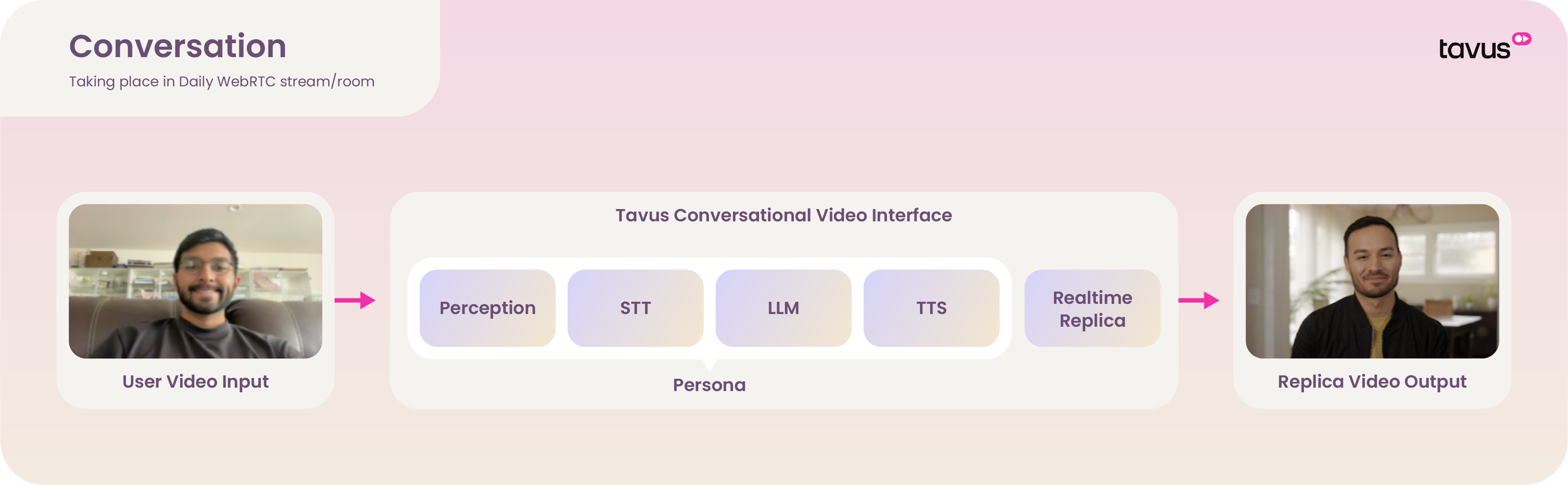
- Lowest latency
- Best for natural humanlike interactions
We offer a selection of optimized LLMs including Llama 3.3 and OpenAI models that are fully optimized for the full pipeline mode.
CVI quickstart
Custom LLM / Bring Your Own Logic
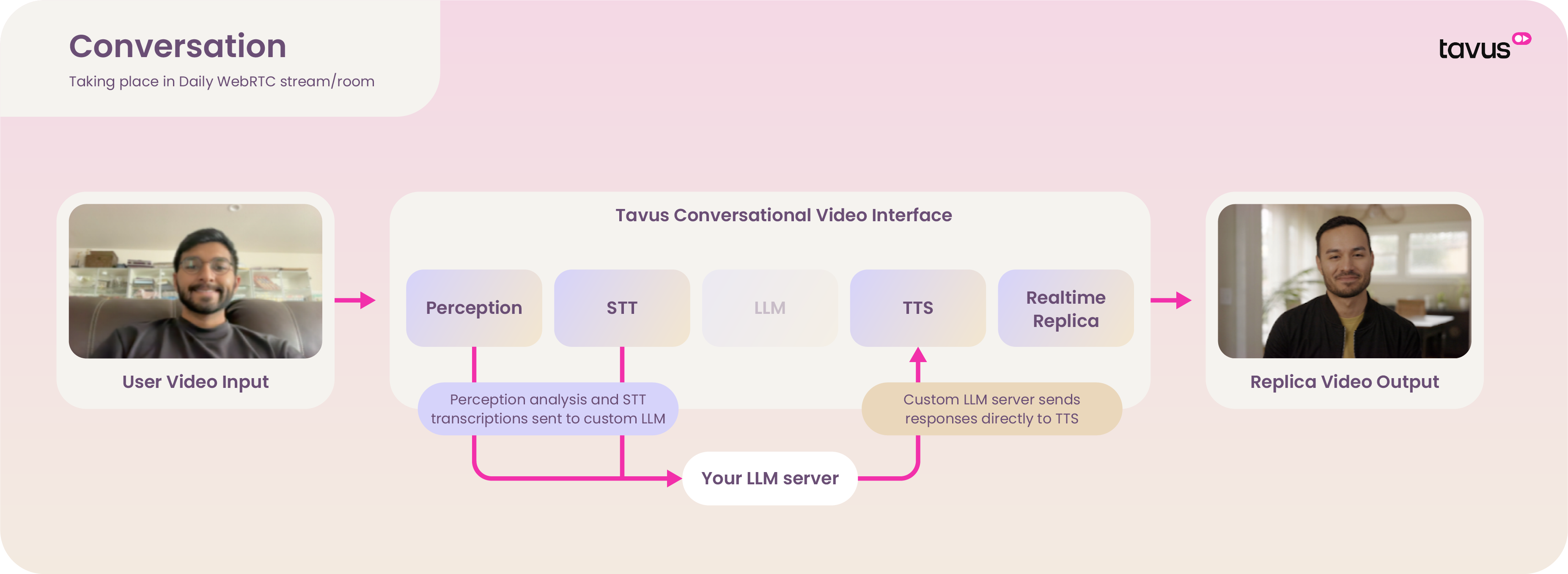
- Adds latency due to external processing
- Does not require an actual LLM—any endpoint that returns a compatible chat completion format can be used